 LumenClip Docs
Collection detail
Media review and maintenance inside one image or video collection.
Route: /app/collections/[id]
Layout
Owner: components/realfarm/collections/collection-detail-view.tsx.
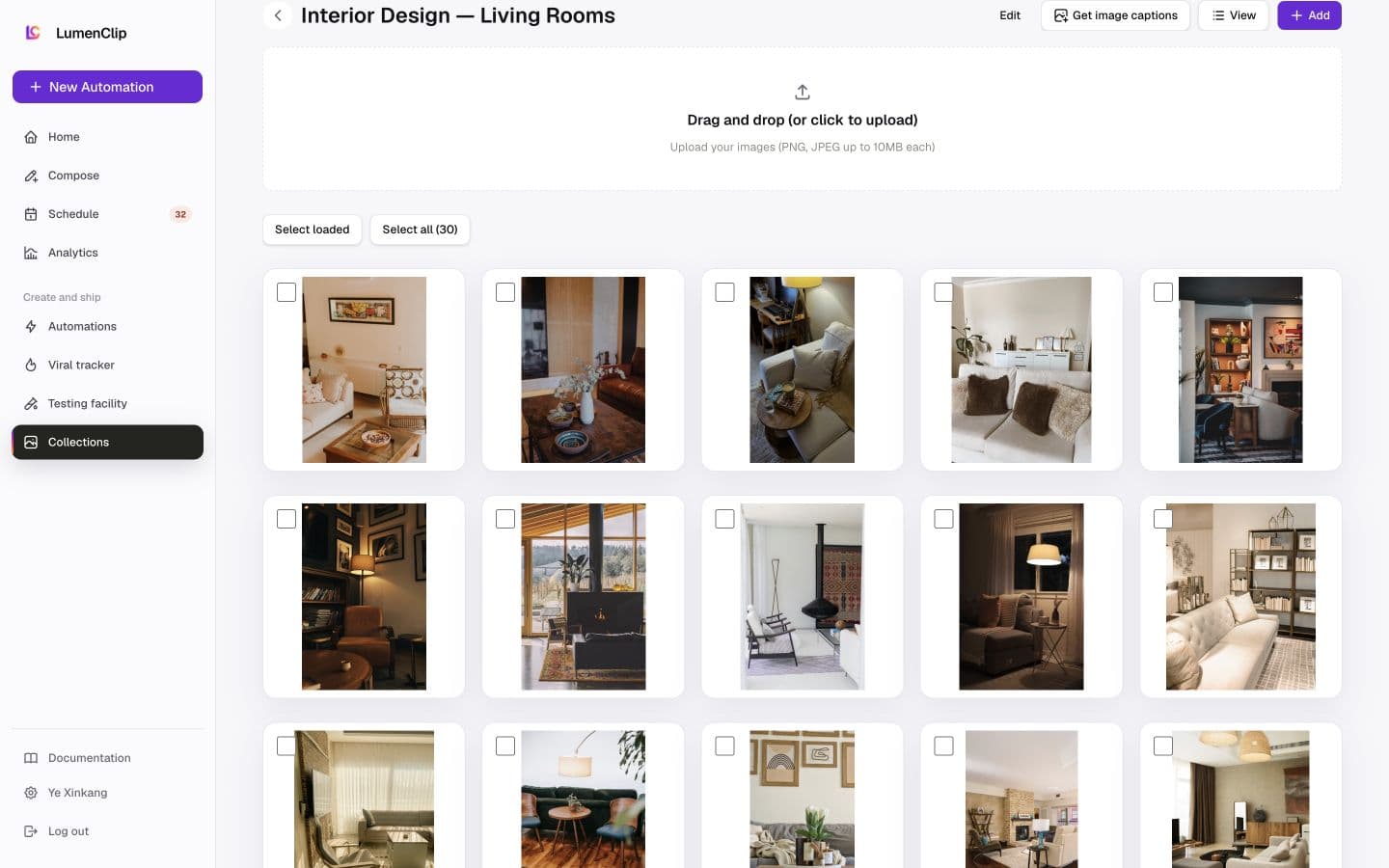
The collection name and back action lead the page. Editable collections add rename, caption generation, view, and Add controls above an image upload dropzone. Selection controls precede a media grid whose cards contain a square, contained preview, an item checkbox, an optional description, and the last-used date when one exists. The View popover chooses 3, 4, 5, or 6 desktop columns and can show descriptions. The first 3 rows are loaded initially, with Load more adding another 3 rows.
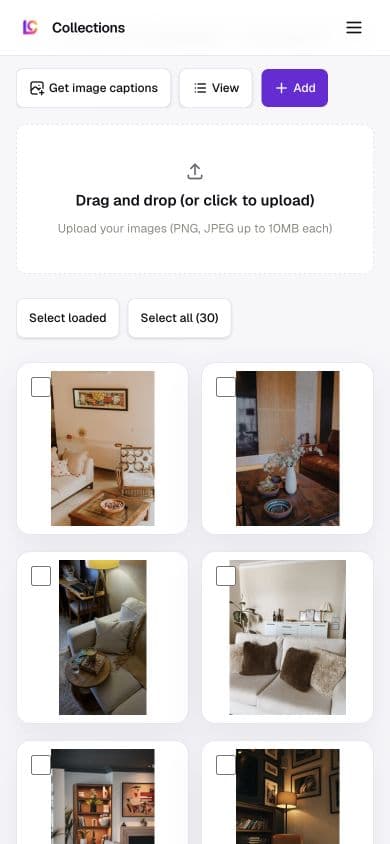
Mobile keeps the action row horizontally scrollable, leaves the upload dropzone full width, and starts the media grid at two columns. The selected desktop column count only takes effect from the medium breakpoint, so it does not squeeze phone cards. Read-only projected collections omit upload, rename, Add, and destructive controls.
Interactions
Edit changes the collection name through explicit Save and Cancel actions. Get image captions processes every item and reports progress before saving the returned descriptions. Add reuses the Pinterest and Pexels import dialog, while the dropzone uploads one or more image files. Select loaded selects only the currently rendered items; Select all selects the complete collection. Deleting selected items requires confirmation and permanently removes them from this collection.
Selecting an item opens a full-screen viewer. The viewer moves to the previous or next loaded item, edits the item's caption directly, and can replace the image with an AI-generated edit or a 2x or 4x upscale. The replacement and caption are saved back into the collection. View settings, selection, the loaded-row count, and the open viewer are local UI state.
MCP coverage
Partial. lumenclip_collections_list discovers the collection,
and lumenclip_collection_add_assets appends remote image or video assets. No
registered tool retrieves a complete media collection, renames it, generates
captions, uploads a browser file, edits or upscales one item, replaces an item,
or removes selected items. Opening the viewer and changing its current item are
UI navigation.