 LumenClip Docs
Output trace
Reference state for inspecting the inputs and outputs of one automation experiment cell.
Route: /app/testing (panel state; no separate route)
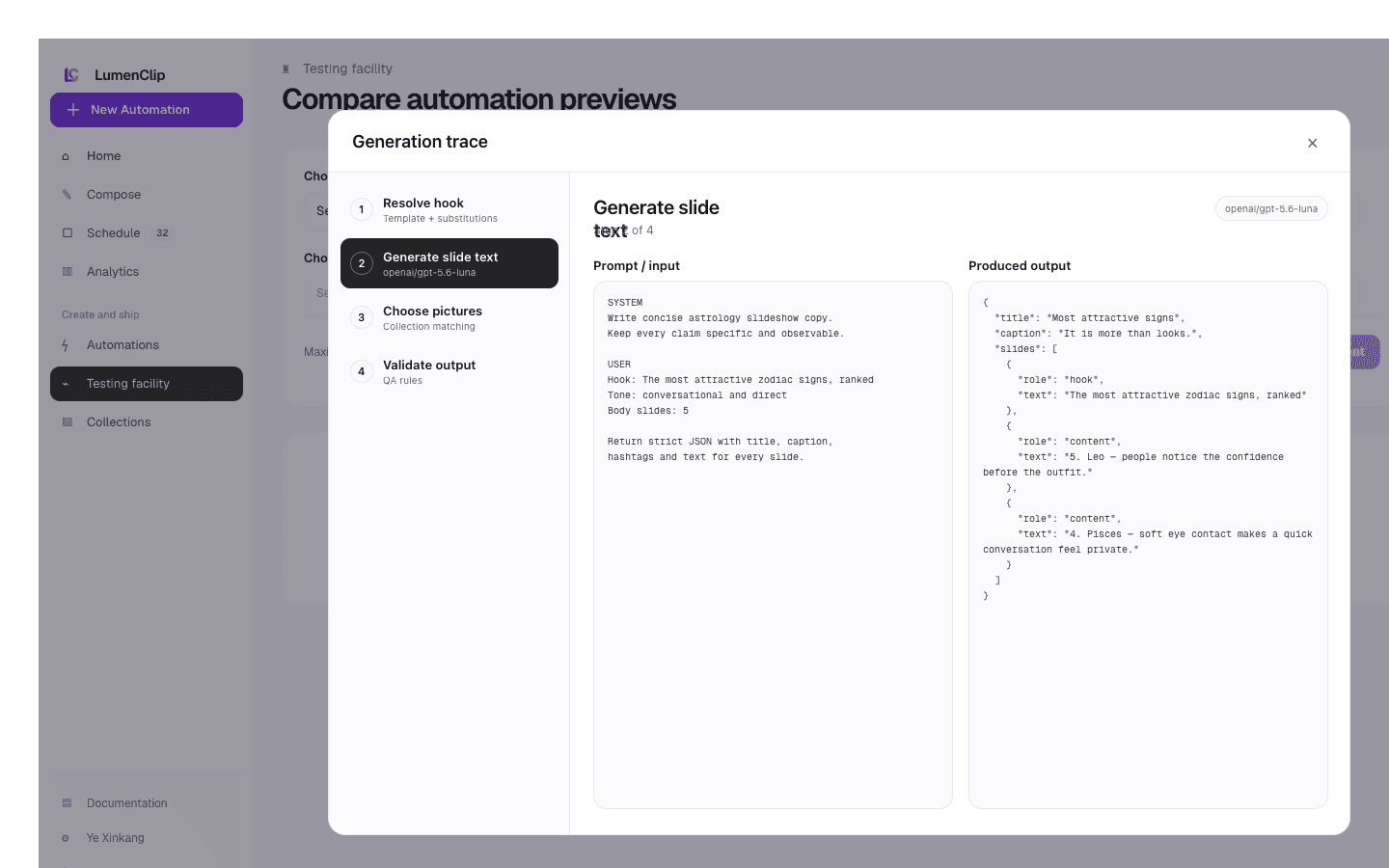
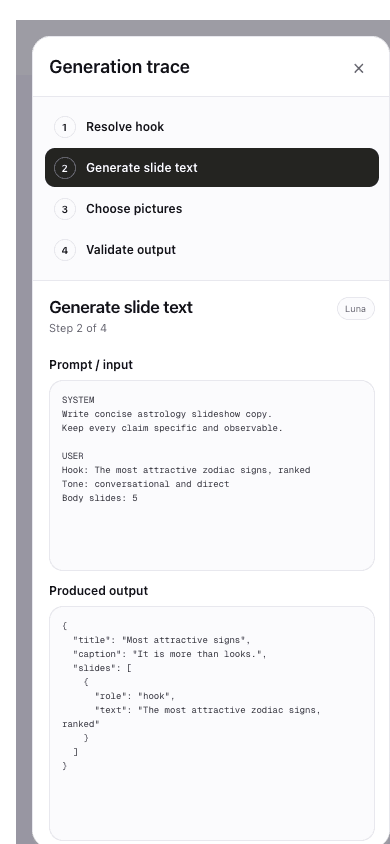
Layout
No current CFarm component owns this panel. The owning route is
app/app/testing/page.tsx, which redirects to LumenLab without rendering a
local result grid or trace.
The images above are August 1 Paper design-file exports traced from the removed CFarm testing UI, not captures of a currently shipped CFarm surface. They depict a Generation trace dialog with Resolve hook, Generate slide text, Choose pictures, and Validate output steps. The desktop reference places the step list beside prompt and output panes; the mobile reference stacks the step list above those panes. This visual description does not assert that the external LumenLab destination implements the panel.
Interactions
There is no current local result cell to select and no CFarm trace dialog to
open, close, or step through. The retained experiment operation still returns a
plan and QA report for each successful cell, plus per-cell warnings or errors,
but /app/testing does not present those fields before redirecting.
MCP coverage
Yes for the underlying cell data via lumenclip_automation_experiment_run,
which returns each cell's variant, generation plan, QA report, warnings, and
error. Opening a trace panel or switching its visible step would be UI
navigation and is not expected to have a separate MCP tool.